| Support Category: Certificate Inquiry | Print |
| Specialist Notes: |
Please provide the below SR should users contact us requesting assistance on how to locate and print their certificates.
IMPORTANT! |
| Standard Response: |
To print your certificate, please use these steps:
1. Kindly navigate to the bottom of your Learning Homepage and click the 'Learning History' pod.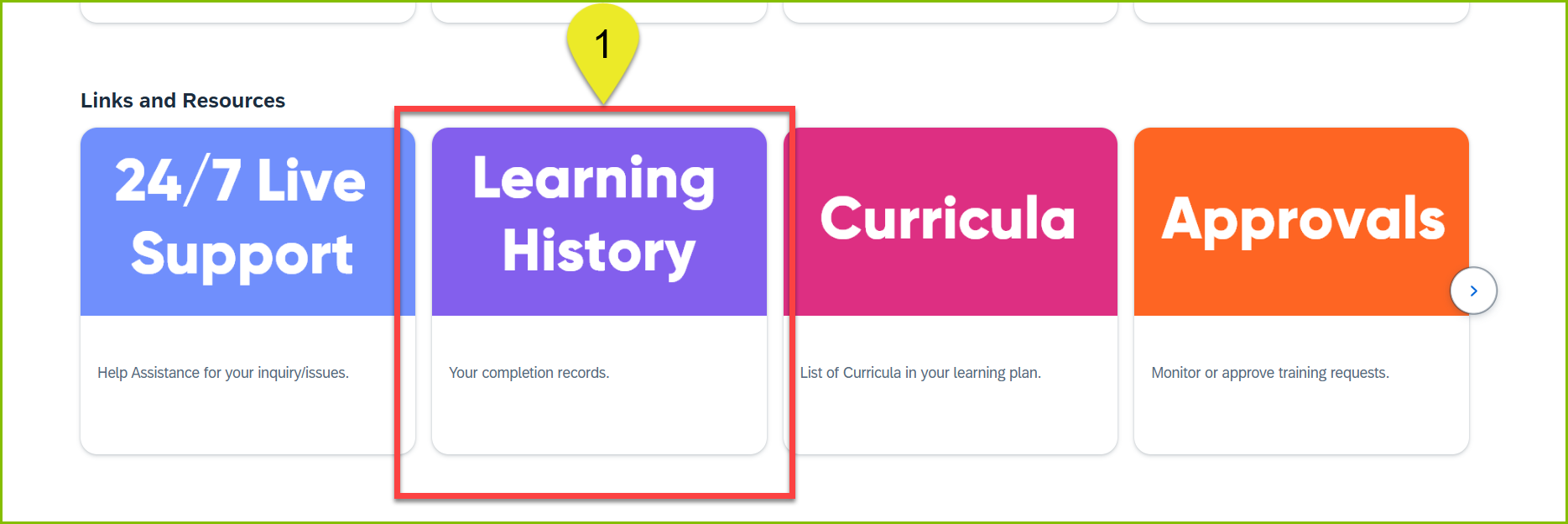
2. From your Learning History page, enter the title of the course in the Search for Learning bar to locate the course you wish to print the certificate for.
3. Click the printer icon located on the far right of the course title to print.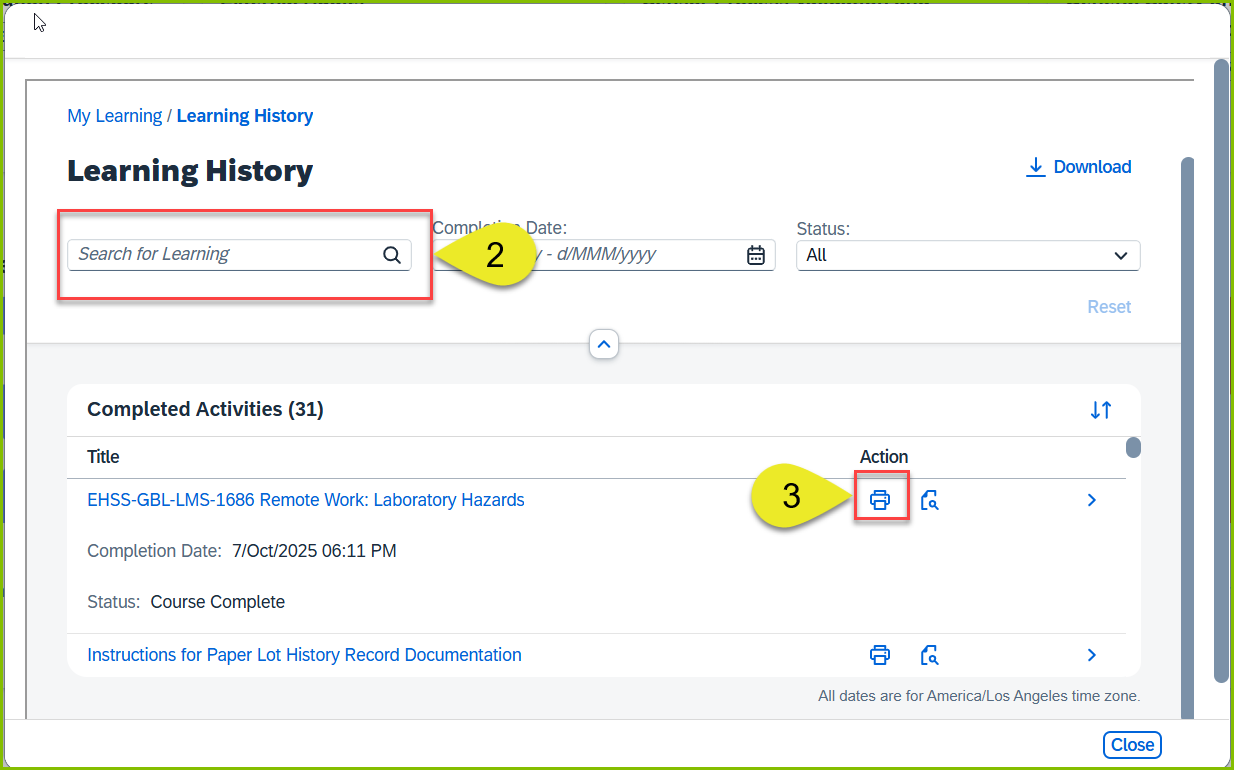
You can also download your Learning History by clicking the Download link located in the upper-right corner of the Learning History page.
